Measurement App
Measurement App
Image Line Measurement App
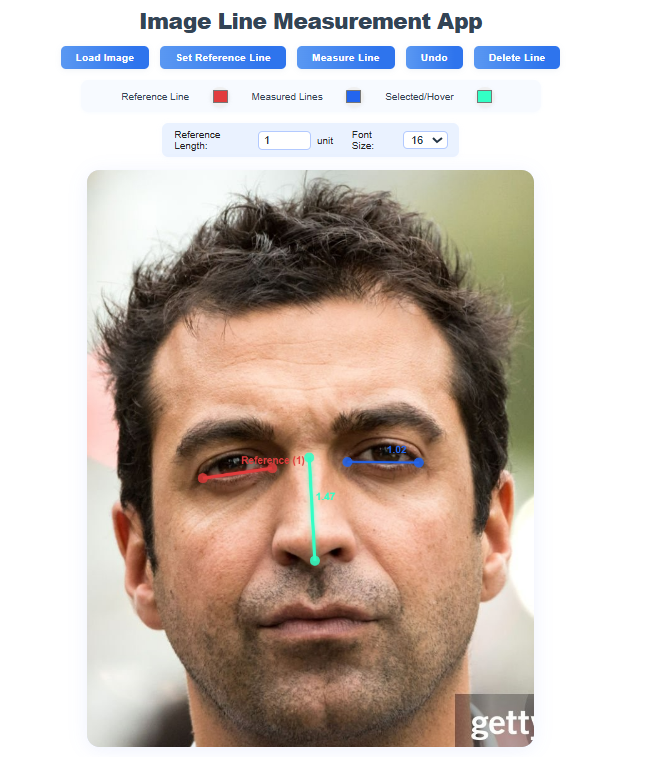
Measure distances directly on an image by first setting a reference line and length, then drawing as many measured lines as you like. Fast, offline-friendly, and works on desktop or mobile.
Screenshot
Try It
Tip: load a photo, Set Reference Line, enter the real-world length, then use Measure Line. Labels show values in your chosen unit.
Features
- Reference line with user-defined real length (any unit).
- Unlimited measured lines with crisp labels.
- Drag endpoints to refine, select lines to highlight, Undo and Delete support.
- Color pickers for reference / measured / hover states.
- Adjustable label font size; touch support for mobile.
Controls & Workflow
- Load Image — choose any local image.
- Set Reference Line — draw the baseline and enter its real length.
- Measure Line — draw lines to read their real-world values.
- Use color pickers, font size, Undo, and Delete Line as needed.
Video Demo

Notes
- All processing happens locally in your browser; images aren’t uploaded.
- If labels look small, increase the Font Size in the toolbar.
- For best accuracy, zoom your image and place endpoints carefully.