Record Marker
Smart voice recorder with bookmarks
RecordMarker – Smart Voice Recorder with Bookmarks
Record meetings, classes, or interviews and drop precise bookmarks while you listen. Name each moment, add notes, and jump back with a single tap. Designed for students, journalists, and anyone who wants more than a plain voice recorder.
Screenshots
Get the App
Install the APK on your Android device, grant microphone permission, and you’re ready to capture your next session.
Features
- Live bookmarks – mark important moments while recording with a single tap.
- Preset labels – define up to 12 custom bookmark buttons such as “Item 1”, “Decision”, or “Q&A”.
- Custom bookmarks – type any label on the fly when you need something ad-hoc.
- Organized recordings – each session is saved with duration, bookmarks, and notes.
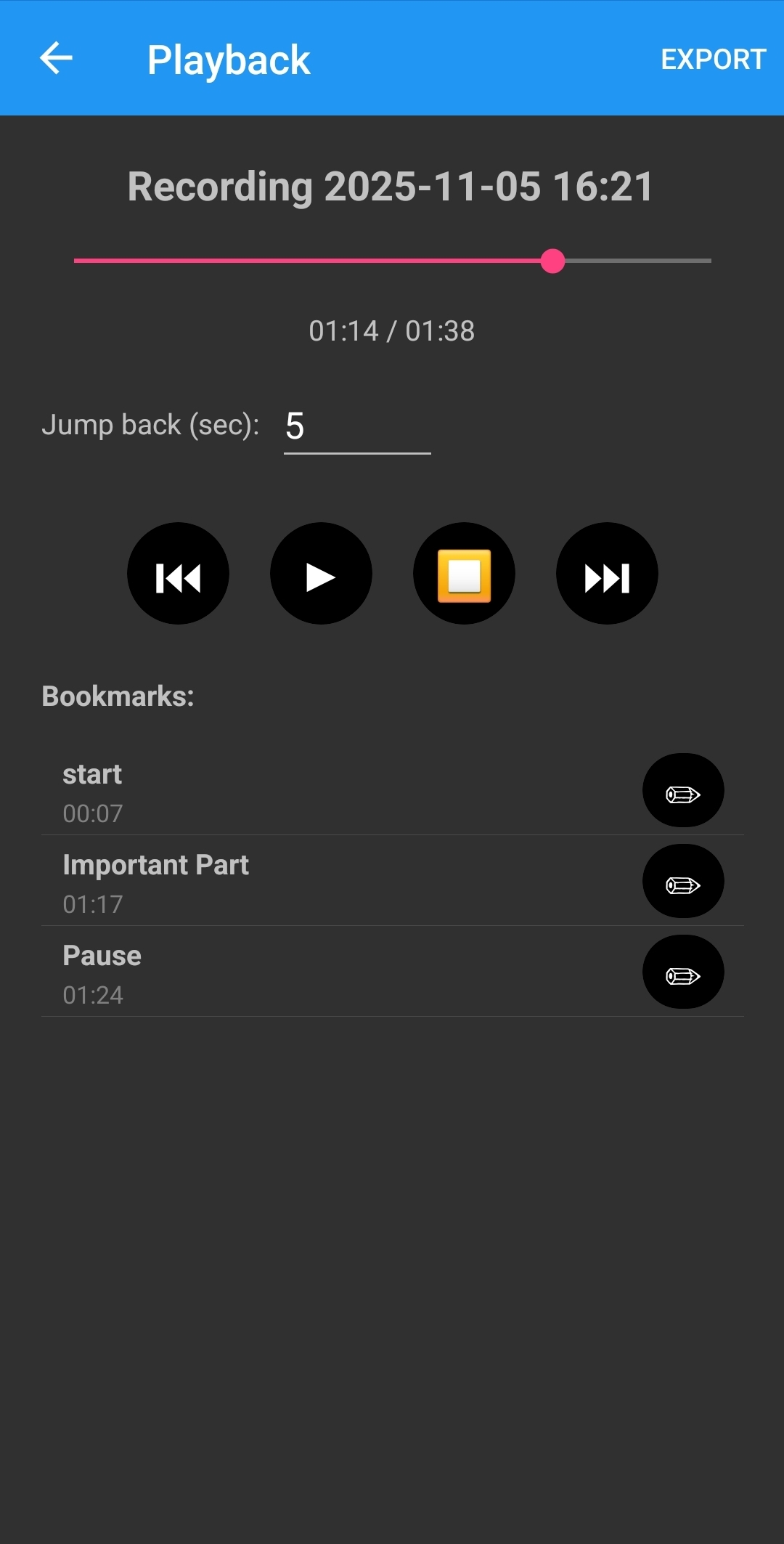
- Jump-back playback – choose how many seconds to jump back before each bookmark when reviewing.
- Export bookmarks & notes – generate CSV and TXT summaries plus the original m4a audio.
- Local-first – recordings and metadata are stored on your device; nothing is uploaded.
Tabs & Workflow
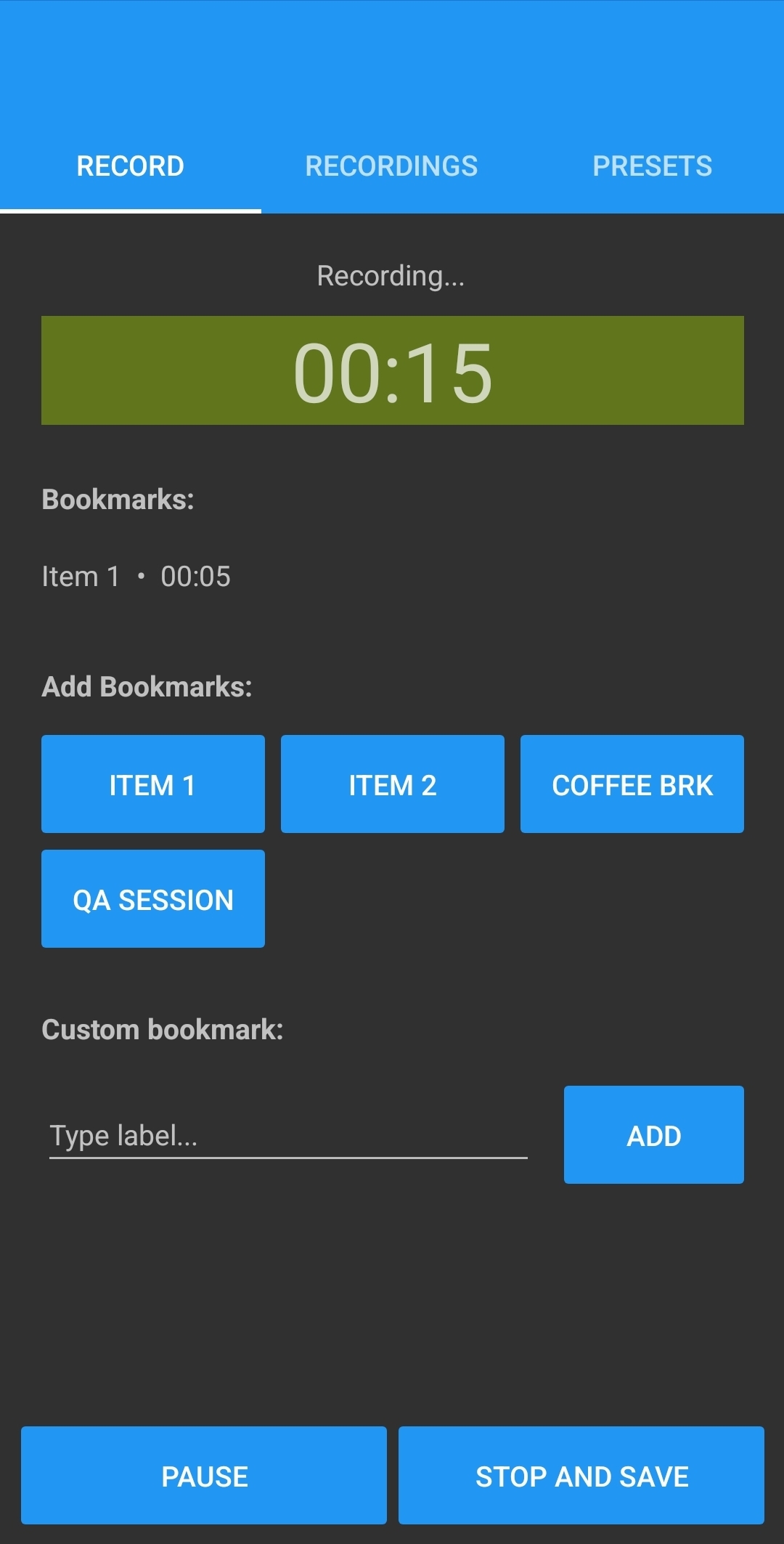
- Record – tap Record, drop bookmarks with your preset or custom buttons, then Stop & Save to name the session.
- Recordings – browse all saved sessions, long-press/select to delete or share audio files.
- Playback – scrub with the slider, use ⏮/▶/⏹/⏭, jump to bookmarks (with automatic jump-back), and edit titles or notes.
- Presets – manage up to 12 bookmark labels; these appear as quick-access buttons on the Record tab.
Video Demo
A short walkthrough video will be added here soon. For now, the screenshots above show the main recording, list, and playback screens.
Notes
- Audio is recorded as .m4a (AAC in MP4), balancing quality and file size for long meetings.
- On newer Android versions, recordings may be stored in an app-specific folder; on others, they appear under
/Recordings/RecordMarkerin internal storage. - If exporting CSV/TXT, you can either share them directly (mail, messaging apps) or save them to a chosen folder via Android’s “Save to…” dialog.
- Perfect for capturing lectures, remote calls (where permitted), interviews, or any situation where you want both audio and structured notes.